Install and activate HorizonVPN on macOS without the App Store
Download the official DMG, install HorizonVPN, and enable the four macOS VPN permissions step by step.
The direct macOS app is available without signing in to the website. It supports Apple Silicon and Intel Macs running macOS 12.3.1 or later. The App Store build remains available through its official listing.
1. Install the app
- 1Download HorizonVPN 2.8.2 for macOS from the official HorizonVPN site
- 2Open the DMG, drag HorizonVPN into Applications, then open it from Applications
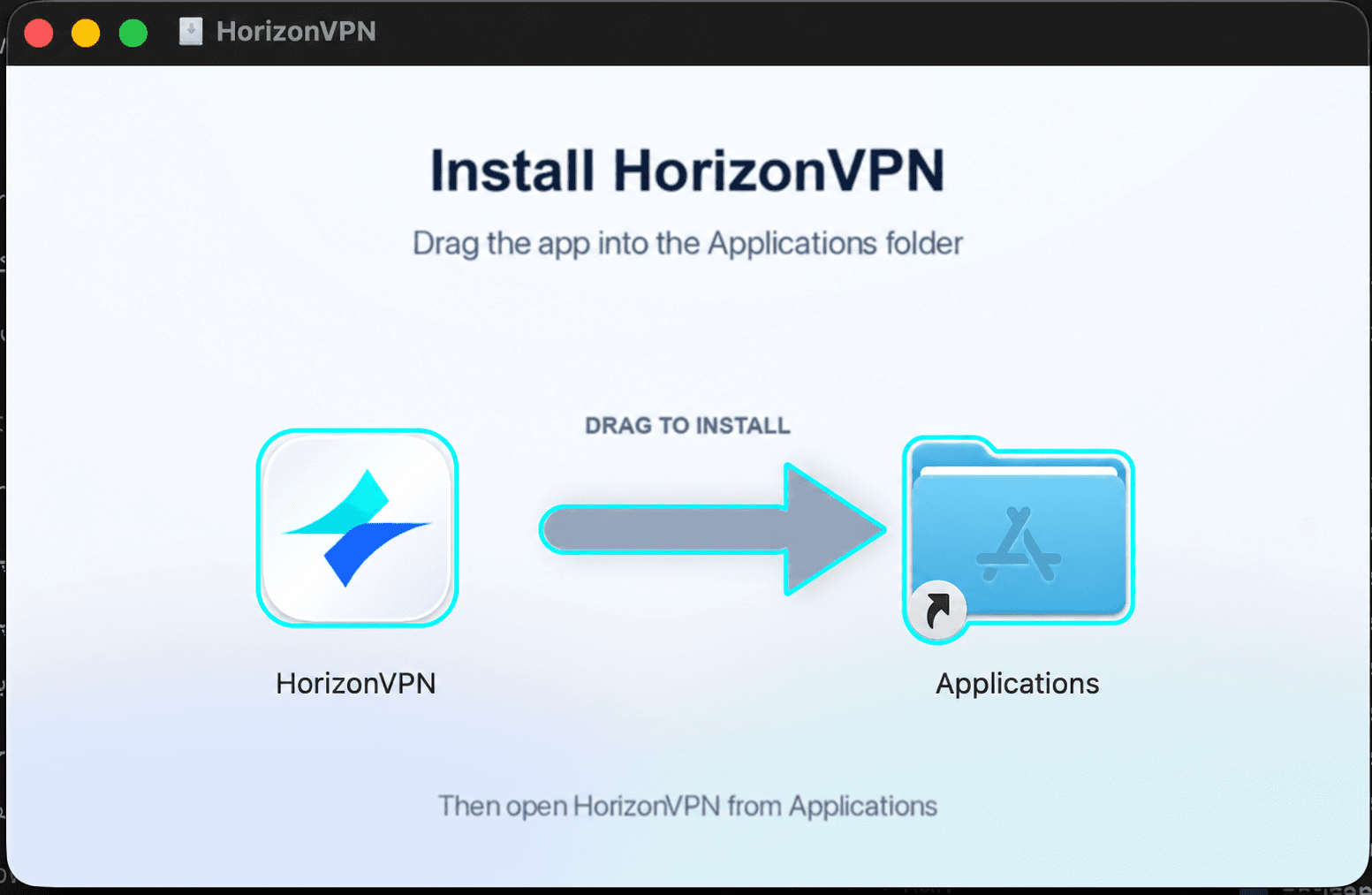
Open HorizonVPN from Applications, not from the mounted DMG. If macOS asks whether to open the downloaded app, confirm Open.
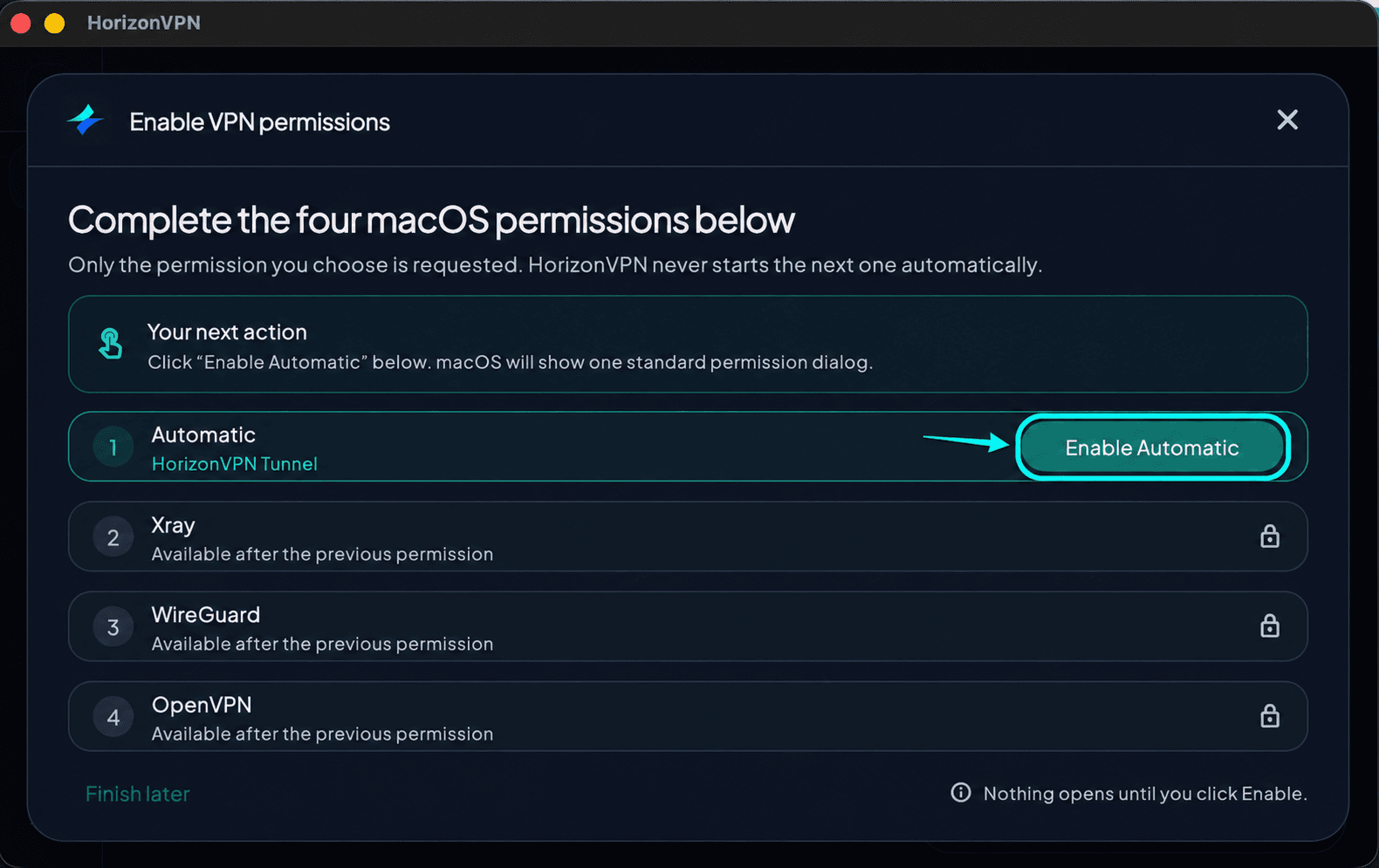
2. Start Automatic permission
In Enable VPN permissions, click Enable Automatic. This starts the first permission request only.
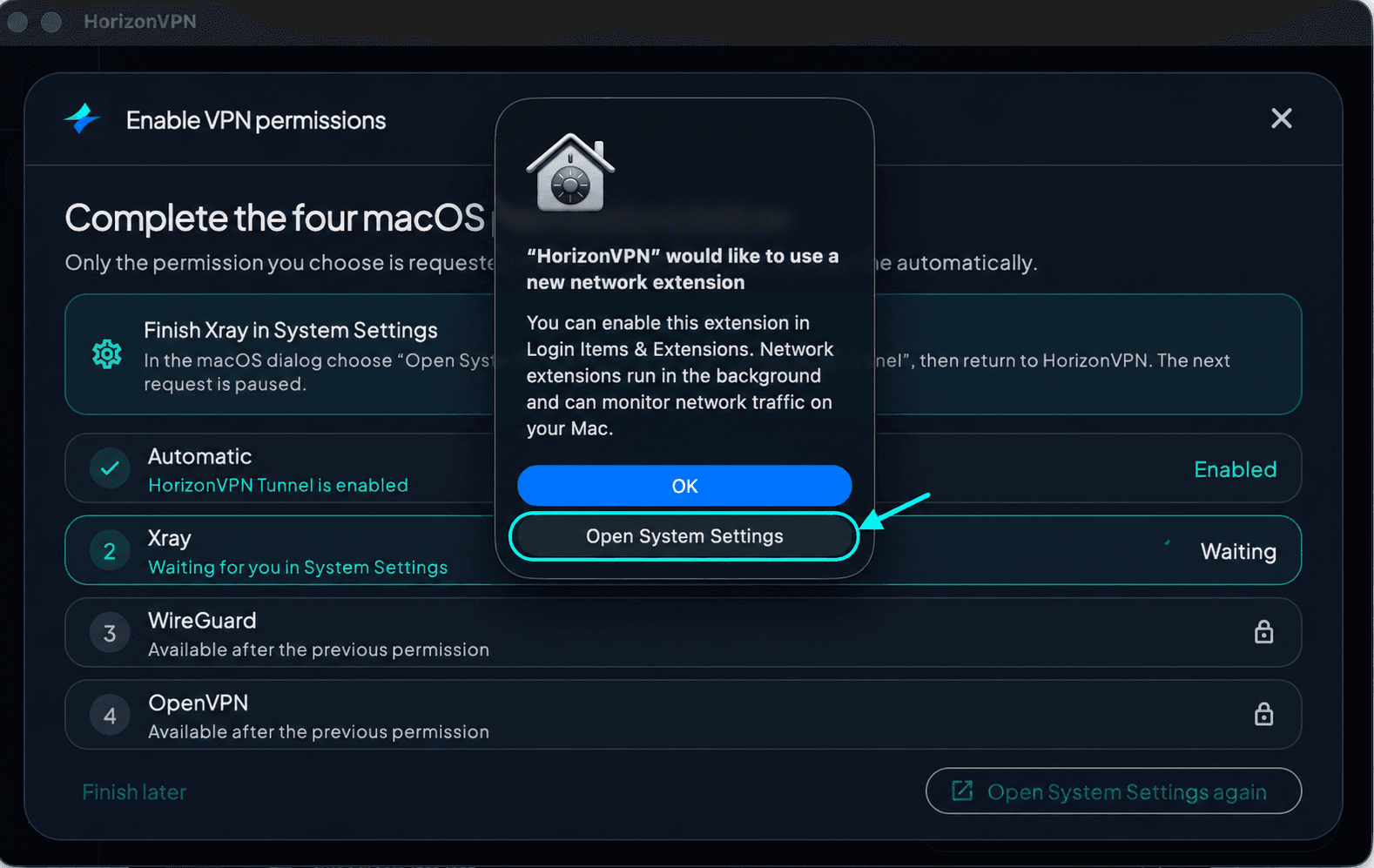
3. Choose Open System Settings
When macOS asks to enable a network extension, choose Open System Settings before continuing to the settings steps below. Clicking OK only closes the dialog; it does not enable the extension.
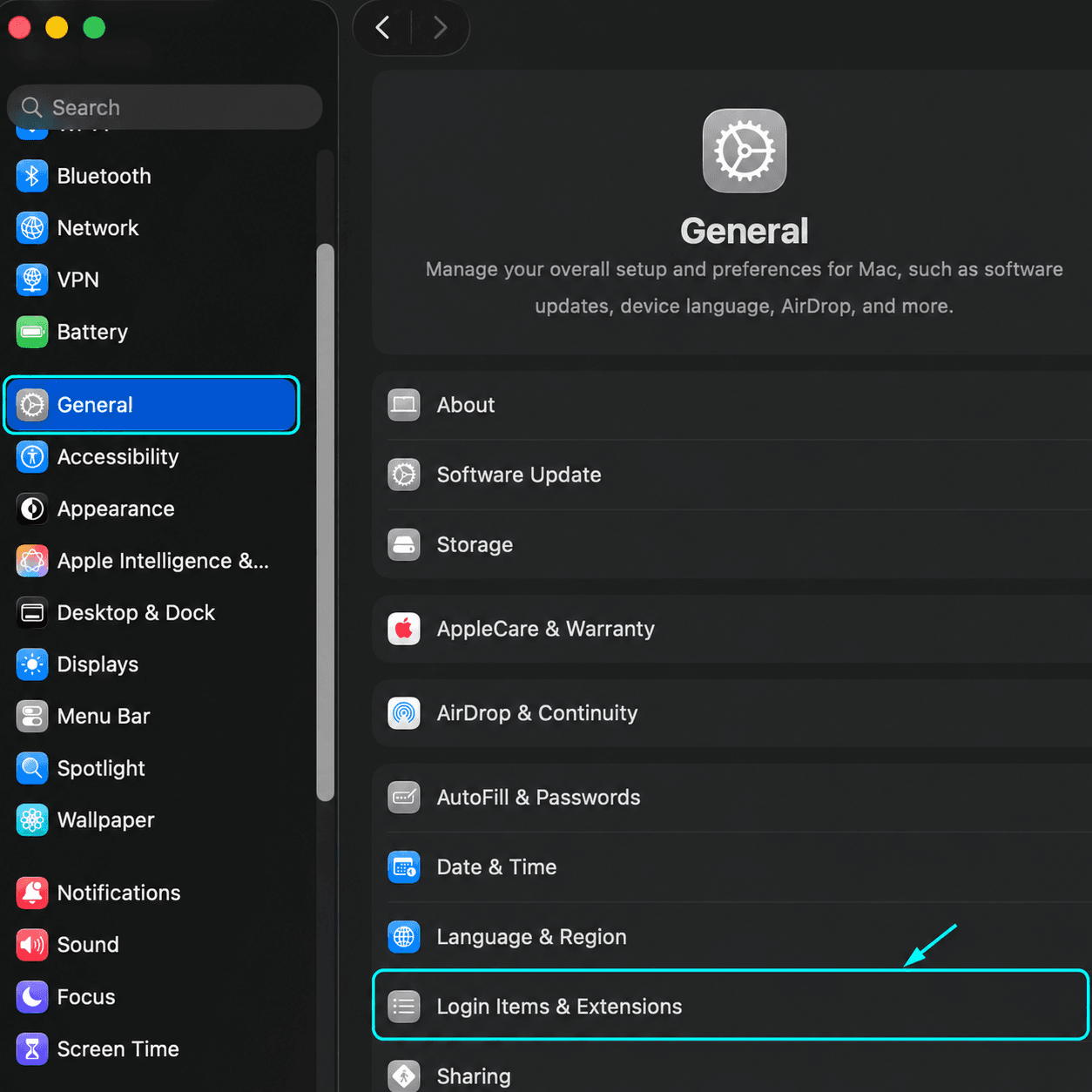
4. Open Login Items & Extensions
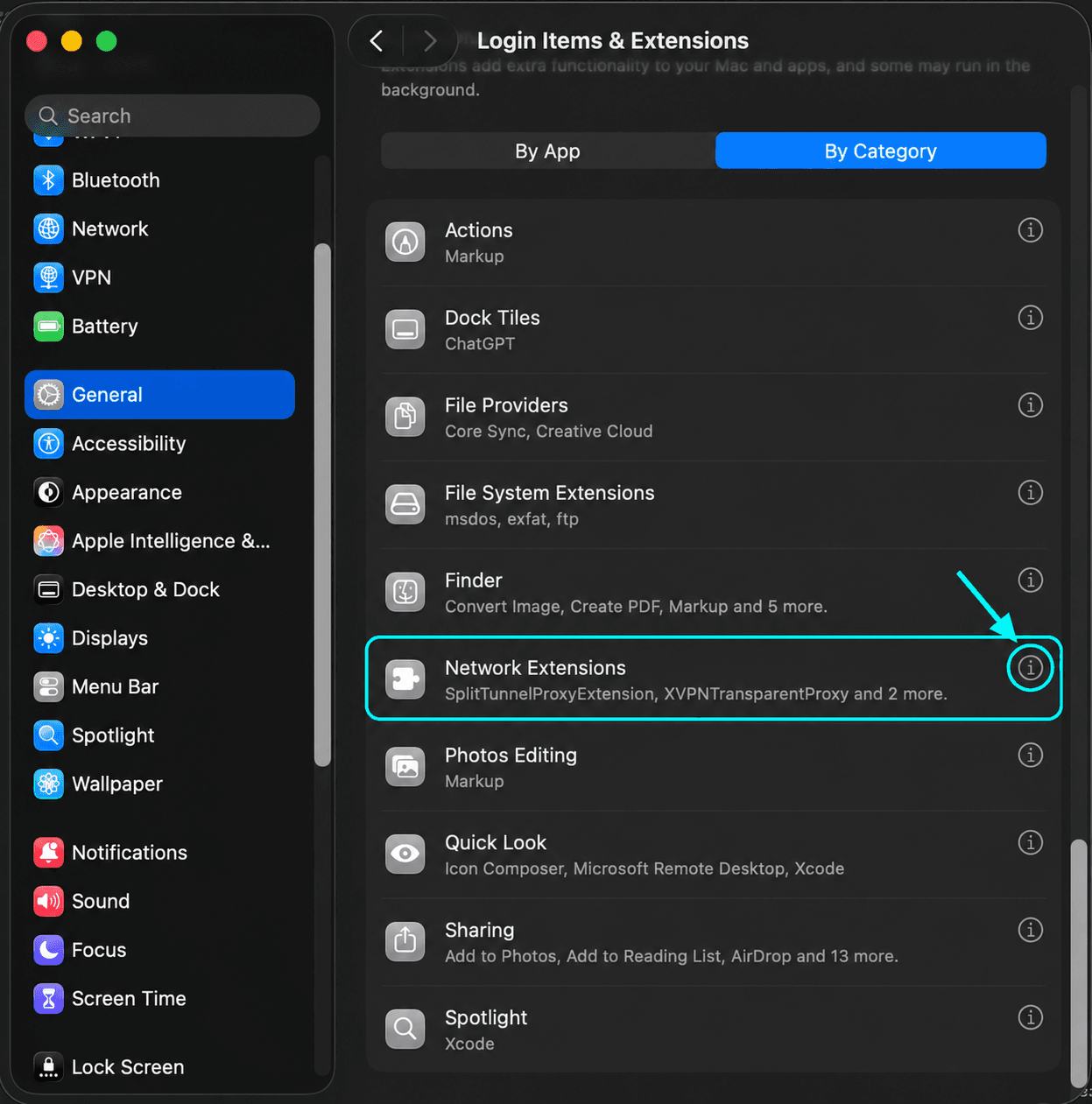
In System Settings, select General in the sidebar, then open Login Items & Extensions. Scroll down if needed.
5. Open Network Extensions
Scroll down toward the bottom of the Login Items & Extensions page. Under Extensions, select By Category if shown, find Network Extensions, and click the information button (ⓘ) beside it.
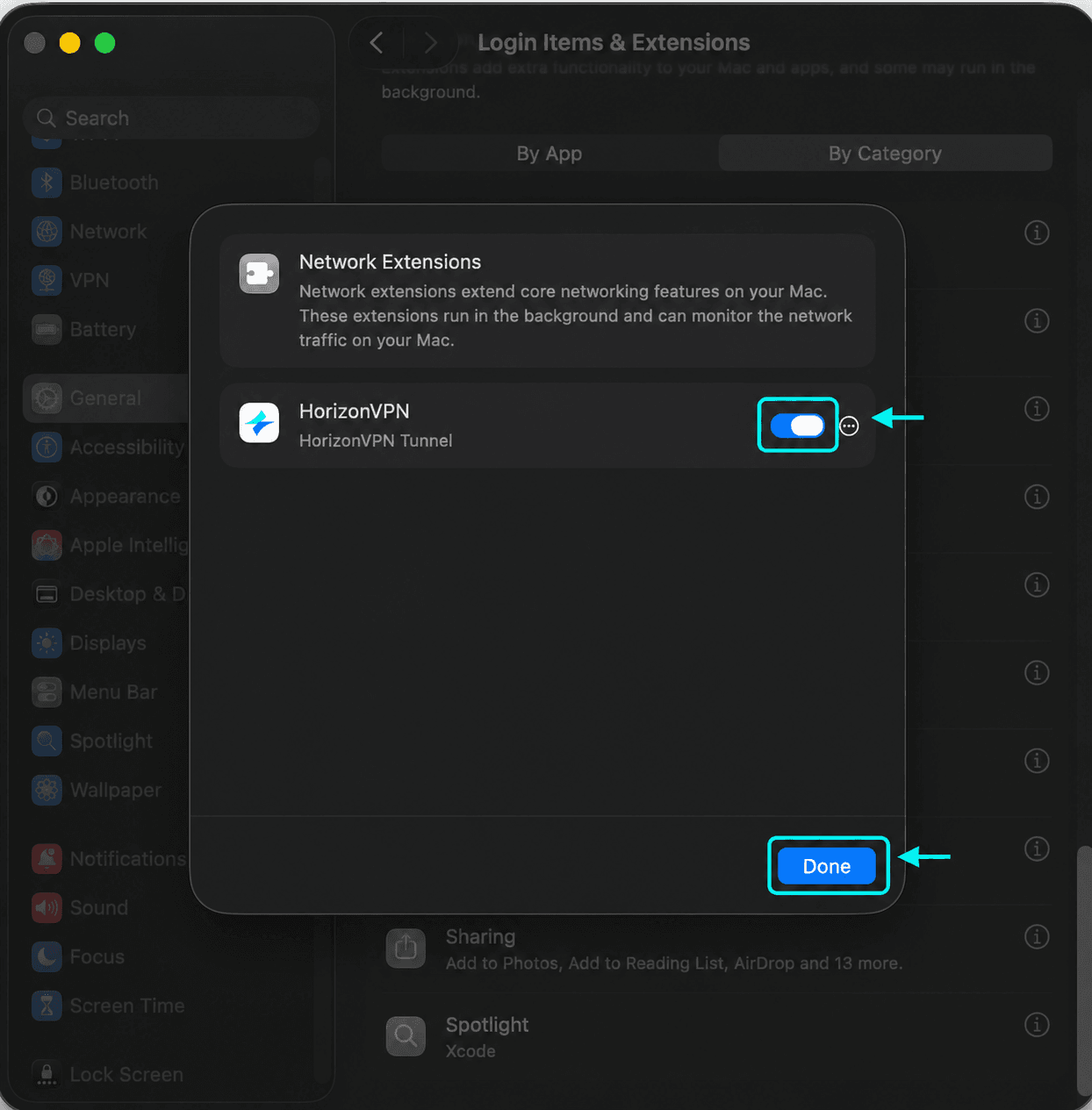
6. Enable HorizonVPN Tunnel
Turn on HorizonVPN Tunnel, approve with your Mac password or Touch ID if asked, and click Done. Return to HorizonVPN and wait until Automatic shows Enabled.
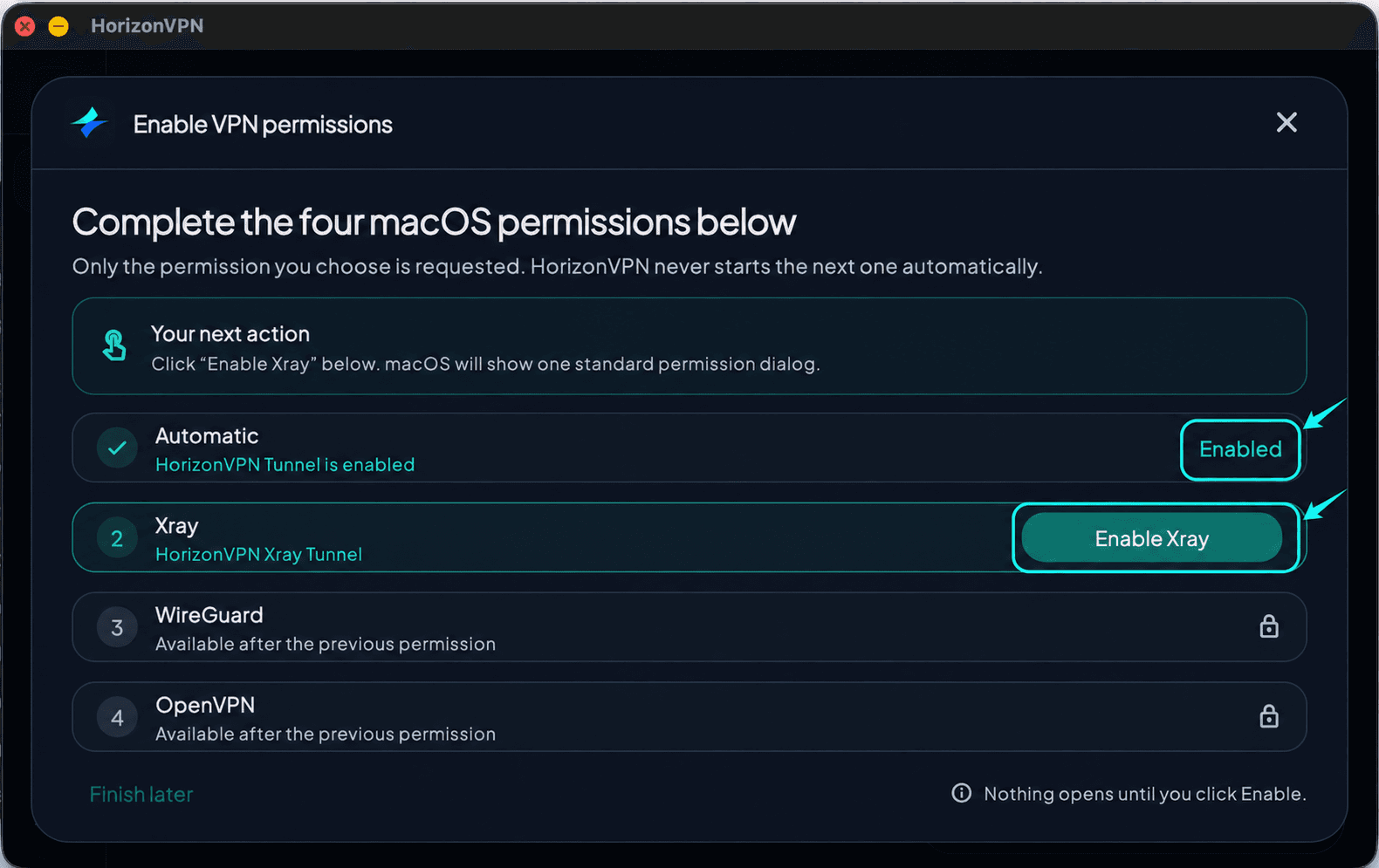
7. Return to the app and start Xray
Back in HorizonVPN, check that Automatic shows Enabled. Then click Enable Xray to request the second permission.
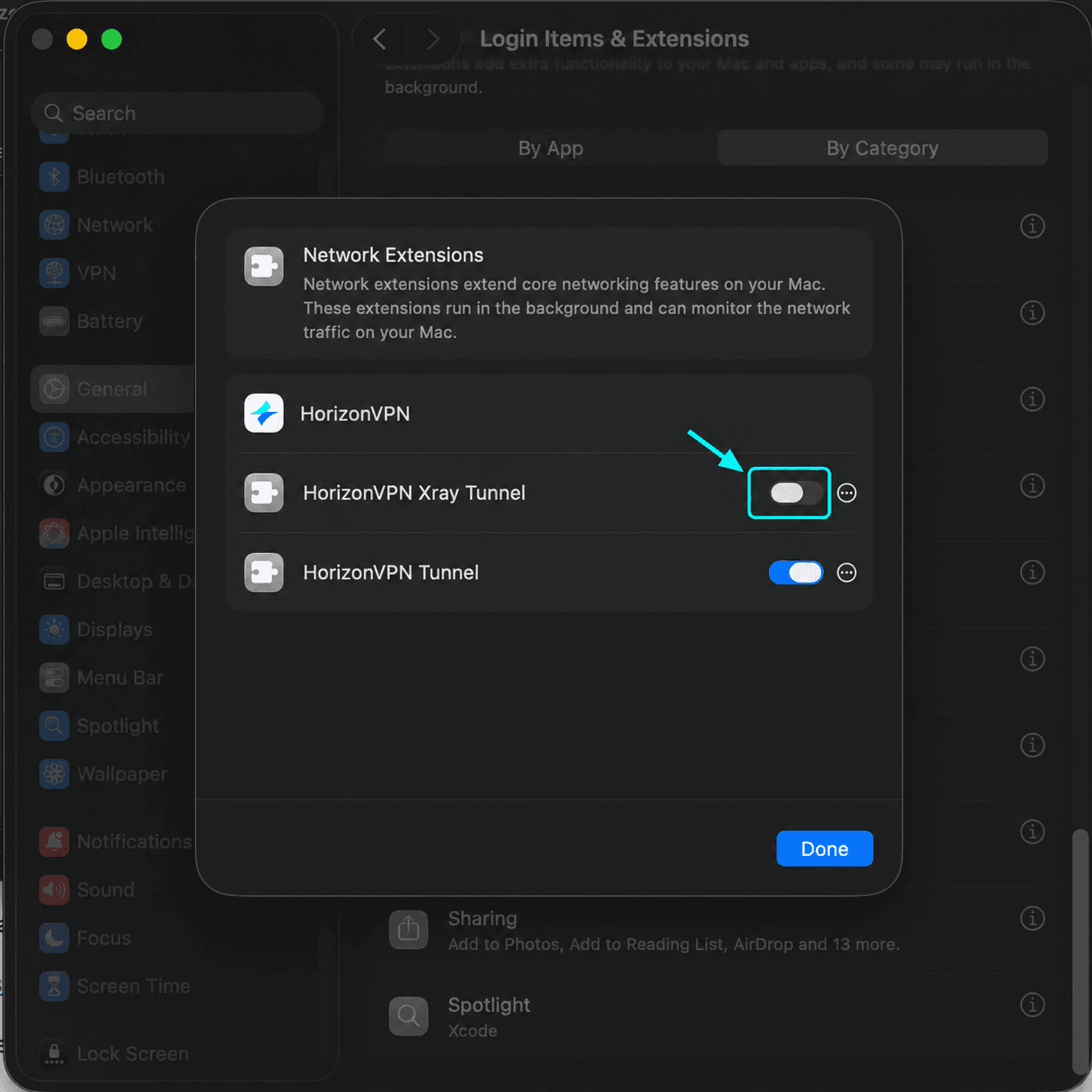
8. Enable HorizonVPN Xray Tunnel
Return to System Settings → General → Login Items & Extensions. Scroll down and open Network Extensions using its information button (ⓘ), just as in steps 4–5. Then turn on HorizonVPN Xray Tunnel. Leave HorizonVPN Tunnel enabled. Approve with your Mac password or Touch ID if asked, click Done, then return to HorizonVPN and wait for Xray to show Enabled.
9. Finish WireGuard and OpenVPN permissions
Repeat for WireGuard (HorizonVPN WireGuard), then OpenVPN (HorizonVPN OpenVPN). Enable each permission from the app first; the next request never starts automatically. Keep the previously enabled HorizonVPN switches on.
10. Connect
Once all four permissions show Enabled, close the permissions window. Sign in to your HorizonVPN account if needed, select Auto, and press Connect. Approve a VPN configuration request if macOS shows one. Wait for Connected, then open a website to check your connection.
If setup is waiting
Waiting means approval in System Settings is still needed. Use Open System Settings again, enable the matching HorizonVPN extension, then return to the app. A locked row becomes available after the previous permission is enabled. Finish later postpones setup; complete it before connecting.
The screenshots show English menus. Menu names and permission screens vary with your macOS version and language; follow the system prompt if it opens a different settings page. Never disable macOS security protections to install HorizonVPN.
Was this article helpful?