Установка и активация HorizonVPN на macOS без App Store
Скачайте официальный DMG, установите HorizonVPN и пошагово включите четыре разрешения VPN в macOS.
Прямая версия приложения для macOS доступна без входа на сайт. Она поддерживает Mac с Apple Silicon и Intel под управлением macOS 12.3.1 или новее. Версия из App Store по-прежнему доступна на официальной странице магазина.
1. Установите приложение
- 1Скачайте HorizonVPN 2.8.2 для macOS с официального сайта HorizonVPN
- 2Откройте DMG, перетащите HorizonVPN в папку «Программы», затем откройте его из этой папки
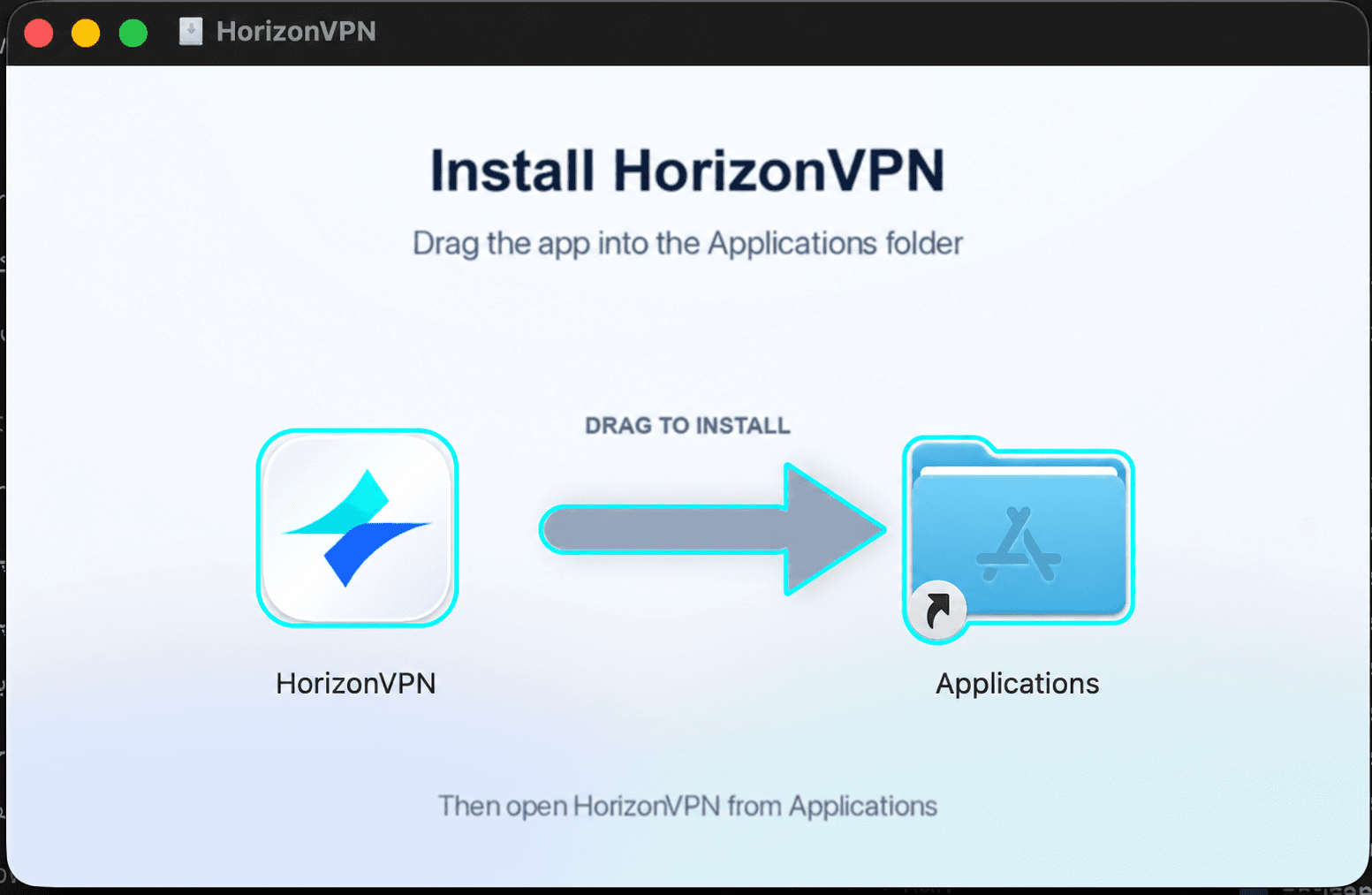
Откройте HorizonVPN из папки «Программы», а не из подключённого DMG. Если macOS запросит подтверждение открытия загруженного приложения, нажмите «Открыть».
2. Запросите разрешение Automatic
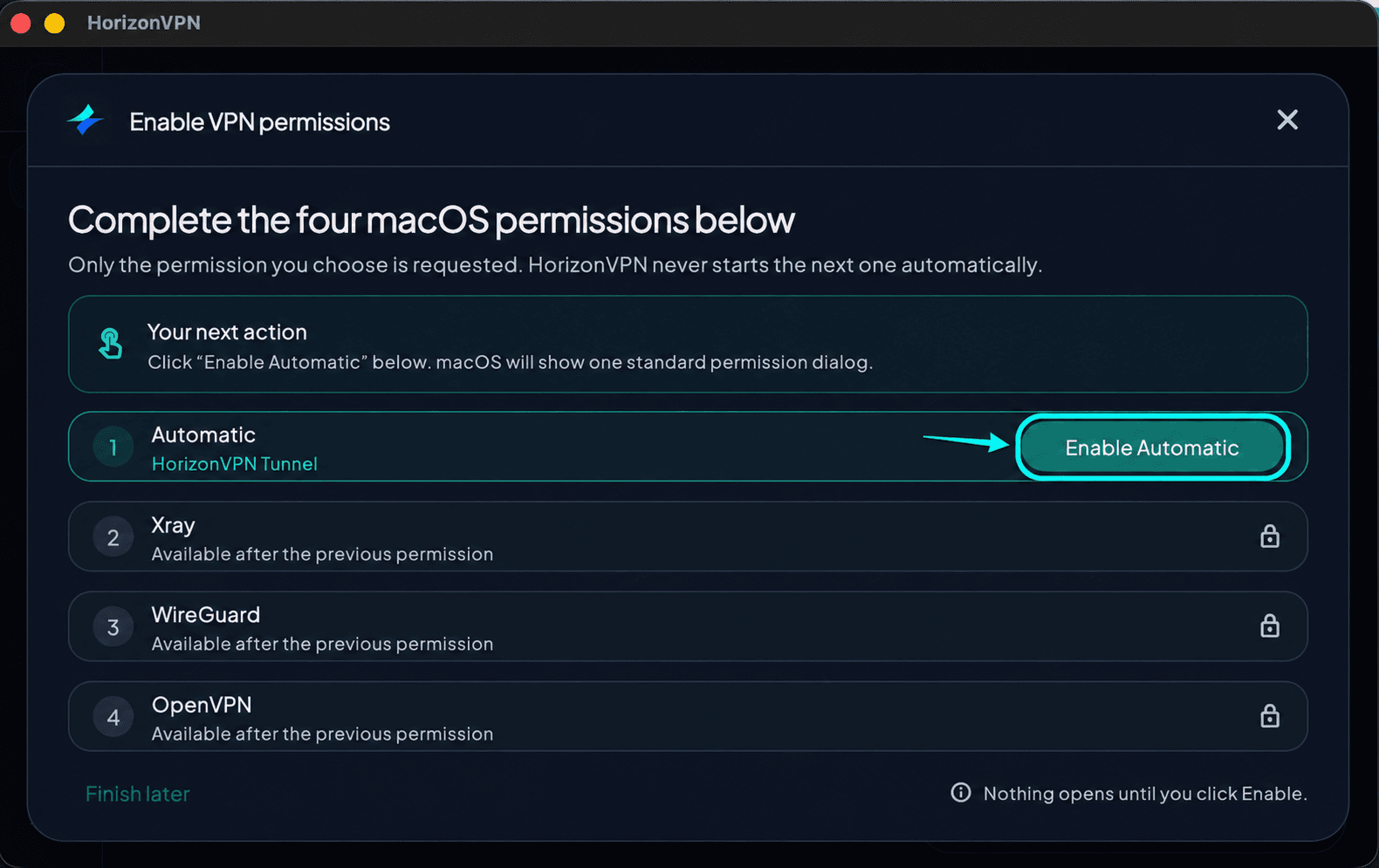
В окне Enable VPN permissions нажмите Enable Automatic. Это запускает запрос только первого разрешения.
3. Нажмите Open System Settings
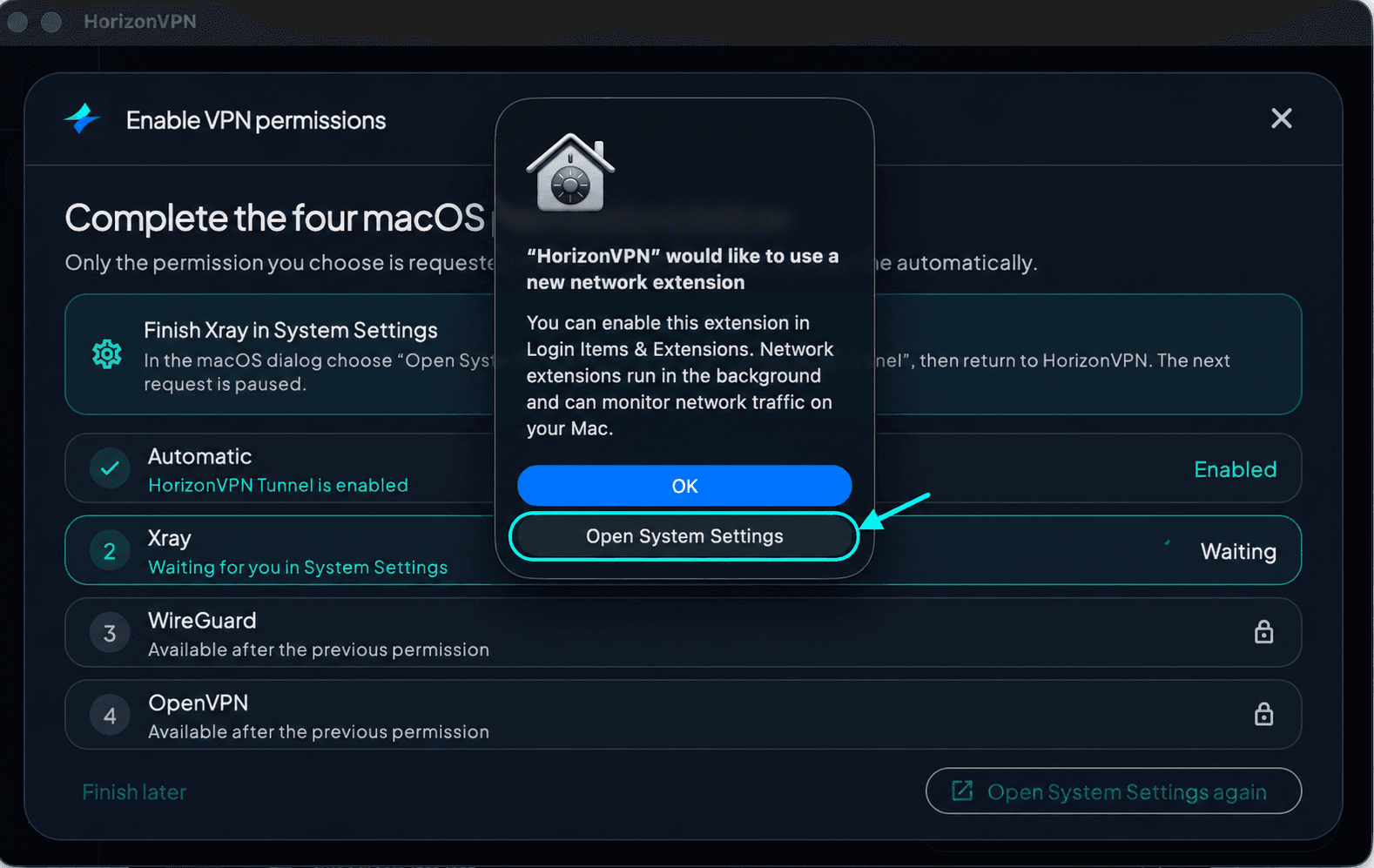
Когда macOS запросит включение сетевого расширения, выберите Open System Settings, прежде чем переходить к следующим шагам в настройках. Кнопка OK только закрывает диалог и не включает расширение.
4. Откройте «Объекты входа и расширения»
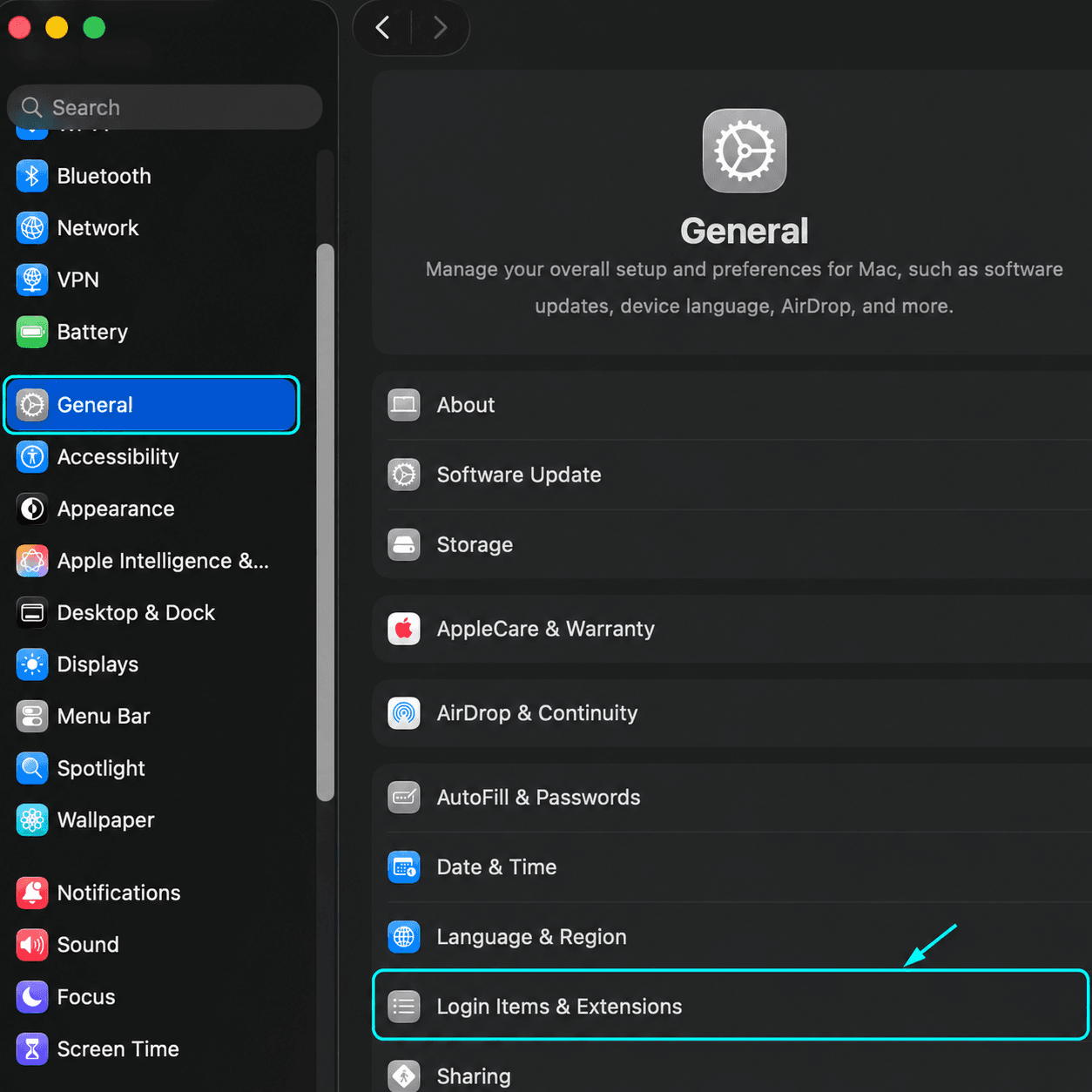
В Системных настройках выберите «Основные» в боковом меню, затем откройте «Объекты входа и расширения». При необходимости прокрутите вниз.
5. Откройте Network Extensions
Прокрутите страницу «Объекты входа и расширения» вниз, ближе к концу. В разделе расширений выберите By Category, если эта вкладка доступна, найдите Network Extensions и нажмите кнопку информации (ⓘ) рядом с ним.
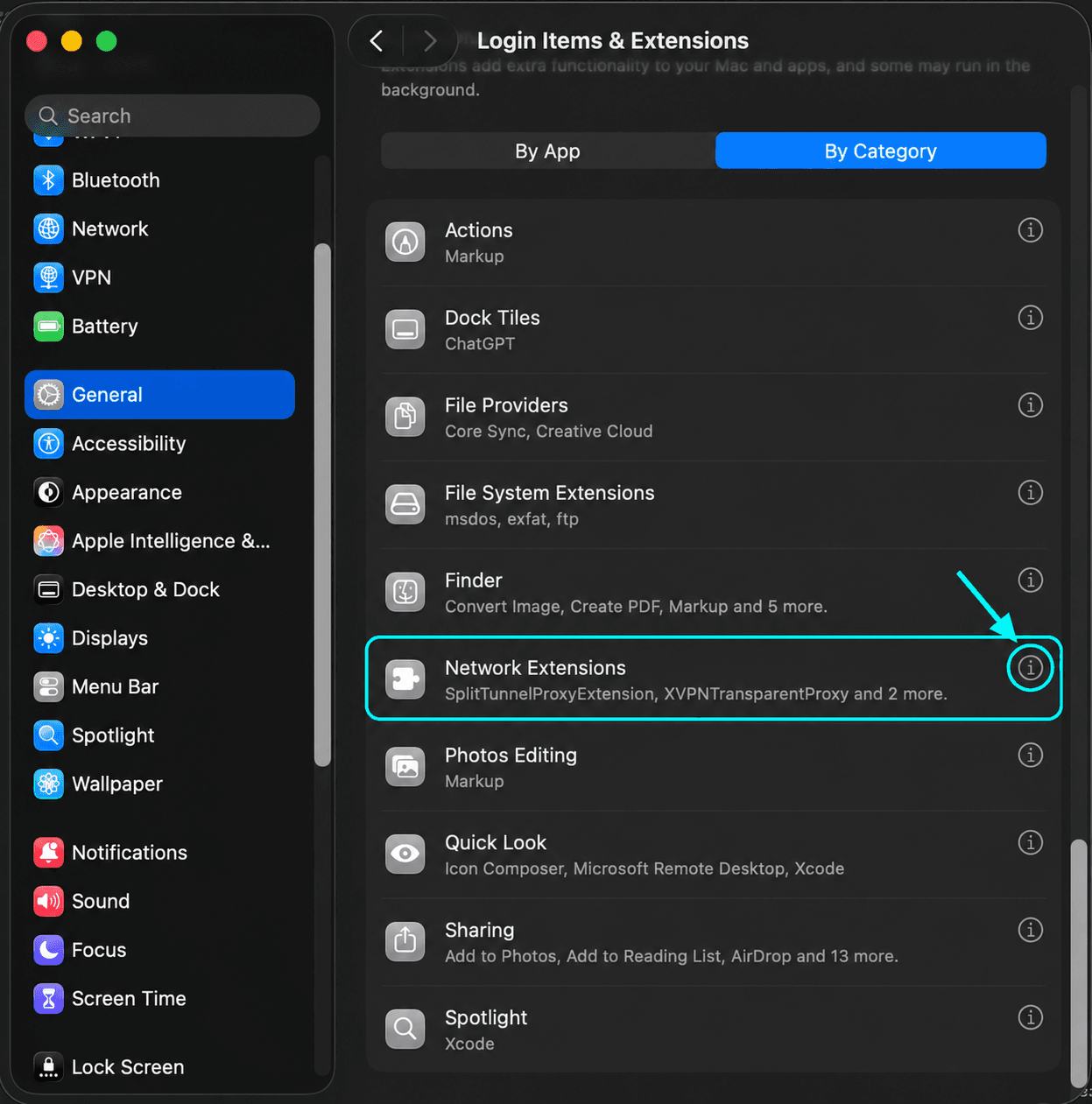
6. Включите HorizonVPN Tunnel
Включите HorizonVPN Tunnel, при необходимости подтвердите действие паролем Mac или Touch ID и нажмите «Готово». Вернитесь в HorizonVPN и дождитесь статуса Enabled у Automatic.
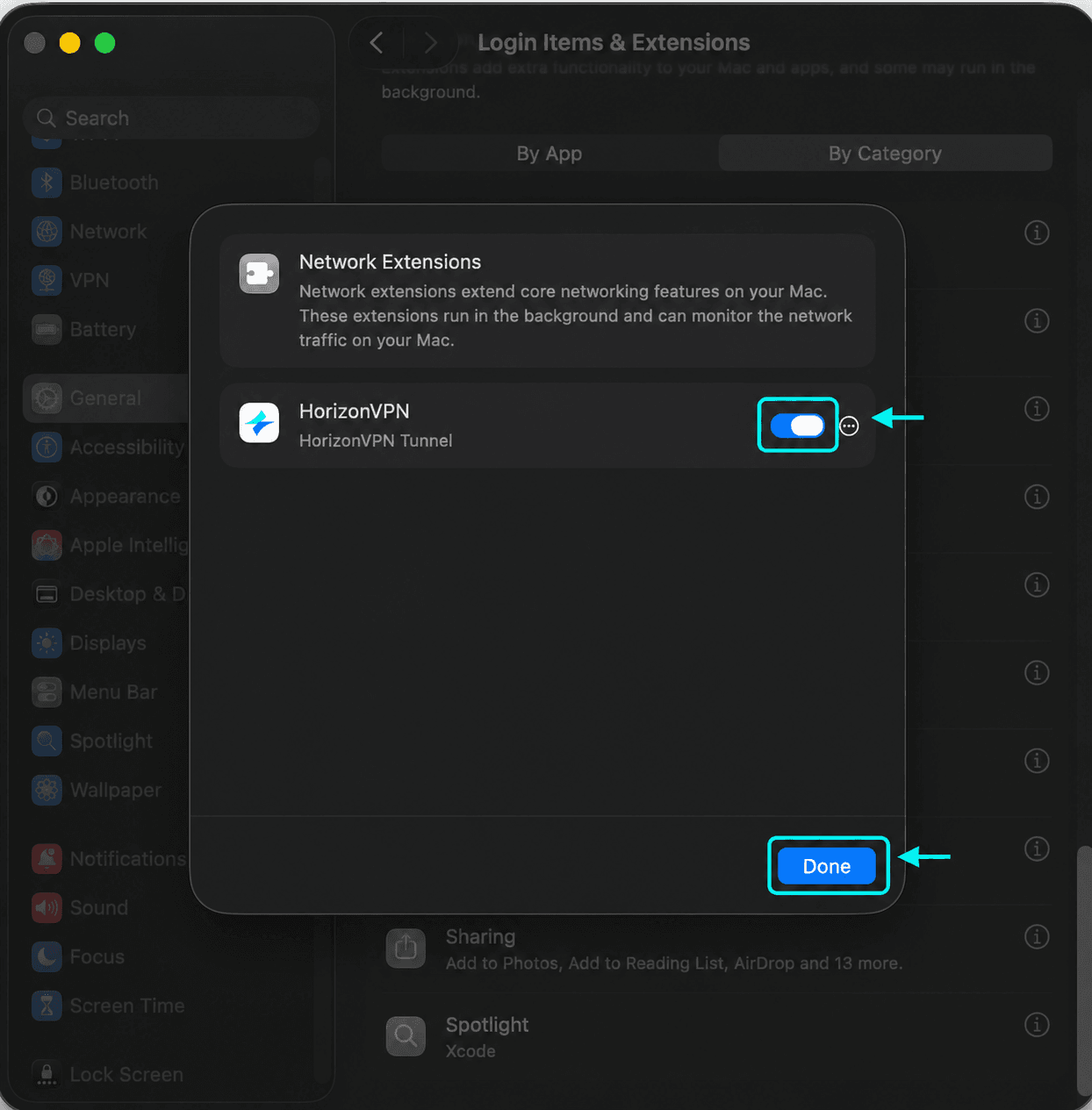
7. Вернитесь в приложение и запросите Xray
Вернувшись в HorizonVPN, убедитесь, что у Automatic указан статус Enabled. Затем нажмите Enable Xray для запроса второго разрешения.
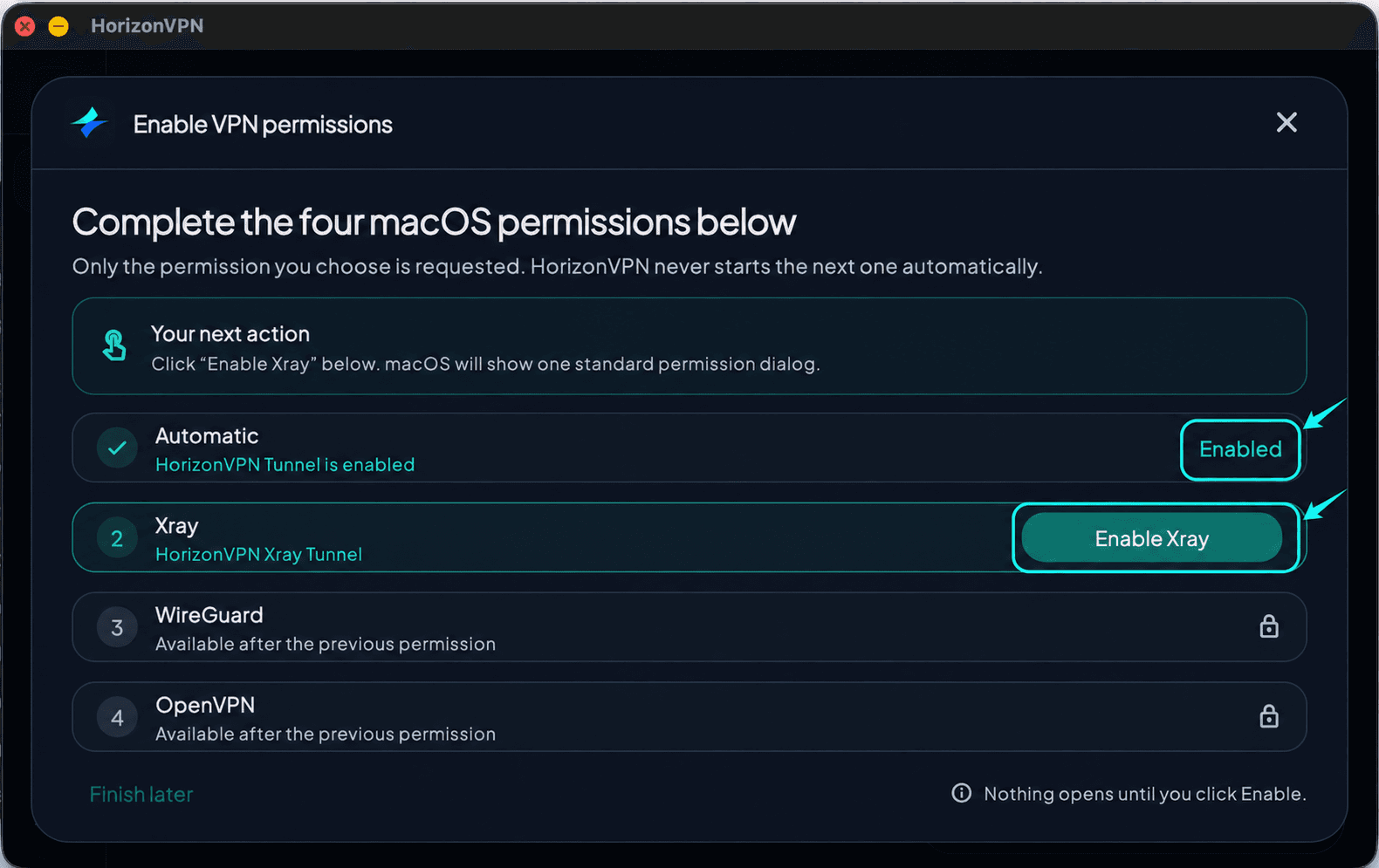
8. Включите HorizonVPN Xray Tunnel
Снова откройте Системные настройки → «Основные» → «Объекты входа и расширения». Прокрутите вниз и откройте Network Extensions кнопкой информации (ⓘ), как в шагах 4–5. Затем включите HorizonVPN Xray Tunnel. Оставьте HorizonVPN Tunnel включённым. При необходимости подтвердите действие паролем Mac или Touch ID, нажмите «Готово», вернитесь в HorizonVPN и дождитесь статуса Enabled у Xray.
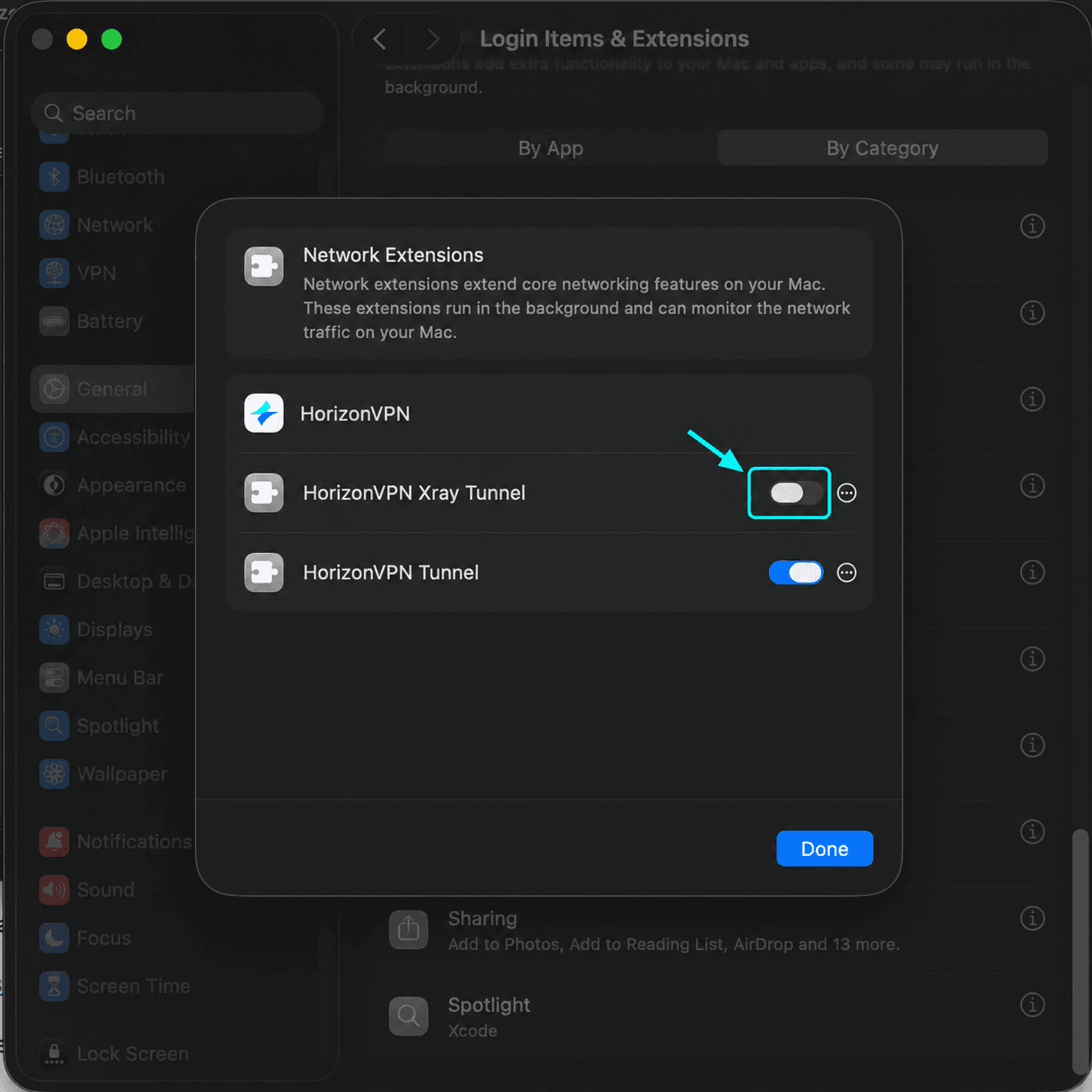
9. Выдайте разрешения WireGuard и OpenVPN
Повторите действия для WireGuard (HorizonVPN WireGuard), затем для OpenVPN (HorizonVPN OpenVPN). Сначала запрашивайте каждое разрешение в приложении: следующий запрос не запускается автоматически. Оставляйте ранее включённые переключатели HorizonVPN включёнными.
10. Подключитесь
Когда все четыре разрешения получат статус Enabled, закройте окно разрешений. При необходимости войдите в аккаунт HorizonVPN, выберите Auto и нажмите Connect. Если macOS запросит добавление конфигурации VPN, подтвердите его. Дождитесь Connected и откройте сайт для проверки соединения.
Если настройка ожидает действия
Waiting означает, что требуется подтверждение в Системных настройках. Нажмите Open System Settings again, включите соответствующее расширение HorizonVPN и вернитесь в приложение. Заблокированная строка станет доступна после включения предыдущего разрешения. Finish later откладывает настройку; завершите её перед подключением.
На снимках показаны английские меню. Названия меню и экраны разрешений зависят от версии и языка macOS; следуйте системному запросу, если он открывает другую страницу настроек. Не отключайте защиту macOS для установки HorizonVPN.
Эта статья была полезной?