HORIZONVPN FOR WINDOWS

The VPN Windows
was designed for.
Native. Fast. Secure.

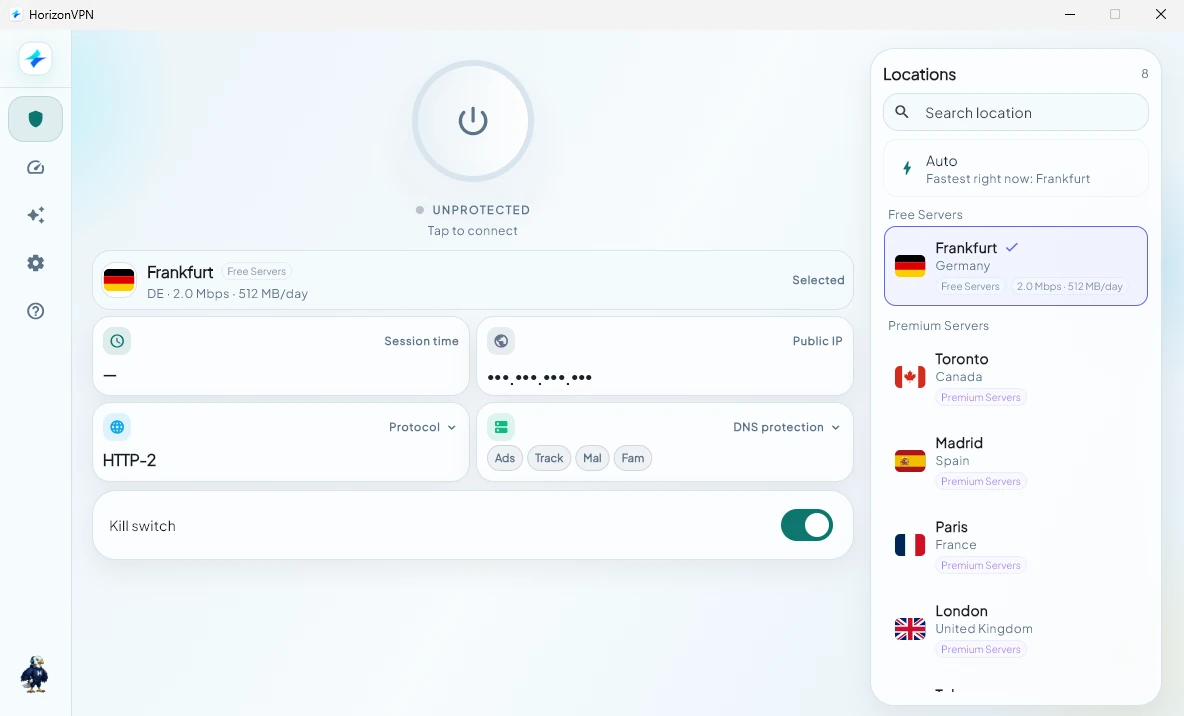
A native Win32 application with WireGuard kernel integration, system tray, per-app split tunneling, a driver-level kill switch, and startup-with-Windows support.

94 Mbps
Avg download speed
11ms
Avg server latency
5,000+
Servers worldwide
Windows 10Windows 117 天免费试用无需信用卡
HorizonVPN首页服务器Split Tunnel设置账户NLNetherlands · AmsterdamWireGuard · 11ms已连接 · 已受保护下载94 Mbps上传42 Mbps断网保护已启用系统托盘运行中 · 开机自动启动 · Auto-reconnect
BUILT FOR WINDOWS

Everything a power user expects.

WireGuard Kernel Driver
Native WireGuard NT kernel driver — not a userspace wrapper. Maximum speed, minimal CPU use on every Windows PC.
🗂️
System Tray Icon
Connect, switch servers, and check your IP from the taskbar. No need to open the full app window.
🔀
Split Tunneling
Choose which apps route through the VPN. Keep work apps direct while streaming goes through the tunnel.
🔒
WFP Kill Switch
Windows Filtering Platform kill switch blocks all traffic at driver level if the VPN drops — before any packet leaks.
🔔
Trusted Network Detection
Auto-connects on public Wi-Fi. Pauses on your home network. Protection that adapts where you are.
🚀
Launch at Startup
Starts with Windows and auto-connects before your first browser tab opens. Always protected from boot.
Windows 桌面版HorizonVPN已连接Netherlands · 11msSwitch ServerOpen · Settings · Disconnect
SYSTEM TRAY

Control your VPN without leaving your workflow.

The tray icon gives you instant access to connect, switch servers, and view your IP — without interrupting whatever you're working on.

One-click connect from any app
Current server and latency at a glance
Right-click for quick server switching
分流

Route exactly what you choose.

Decide which apps tunnel through HorizonVPN and which connect directly. 办公应用 stay local; streaming apps go through the VPN.

Include or exclude apps by name
CIDR-based routing for power users
Changes apply without reconnecting
分流Route apps through VPN or directChromeVPNSlackVPNTeamsDirectSteamDirect
GET STARTED

Up and running in under a minute.

01
Download the installer
Signed installer under 12 MB. No bloatware, no toolbars.
02
Run & sign in
Admin rights required for the WireGuard driver. Sign in or start a free trial.
03
Connect
Hit Quick Connect or pick a country. Tray icon turns blue when you're protected.
免费下载 Windows 版
需要 Windows 10 1903 或更高版本 · 64 位
SYSTEM REQUIREMENTS

What you need.

Windows version
Windows 10 (1903+) · Windows 11
Architecture
64-bit · x86_64 · ARM64
Storage
12 MB
RAM
~50 MB at runtime
Admin rights
Required for WireGuard driver
Protocols
WireGuard (kernel), IKEv2, OpenVPN
Kill switch
Windows Filtering Platform (driver level)
Auto-update
Silent background updates

Common questions.

Does HorizonVPN work on Windows 10?

Yes. We support Windows 10 version 1903 (May 2019 Update) and all later versions including Windows 11.

Do I need to restart after installing?

No restart required. The WireGuard driver installs silently and HorizonVPN is ready immediately after setup.

Can I use HorizonVPN on multiple PCs?

Yes. Your subscription covers up to 10 devices. Sign in on the Windows machines and other devices you use most.

Does the kill switch work if the app crashes?

Yes. The WFP kill switch operates at driver level and stays active even if HorizonVPN crashes or is force-closed.

Is there a Microsoft Store version?

Yes. The Store version auto-updates through Windows Update with no manual steps needed.

Will it slow down my internet?

WireGuard kernel integration keeps overhead minimal — typically less than 5% throughput reduction.

Start your free trial today.

无需信用卡. 7 days free. Cancel anytime.

免费下载 Windows 版
HorizonVPN